The environment
Wide yards, warehouse aisles and covered bays present very different lighting and distance challenges.

Yards, loading bays and warehouse routes generate events that matter to both security and operations. Define what needs to be observed at each checkpoint before building a reporting workflow.
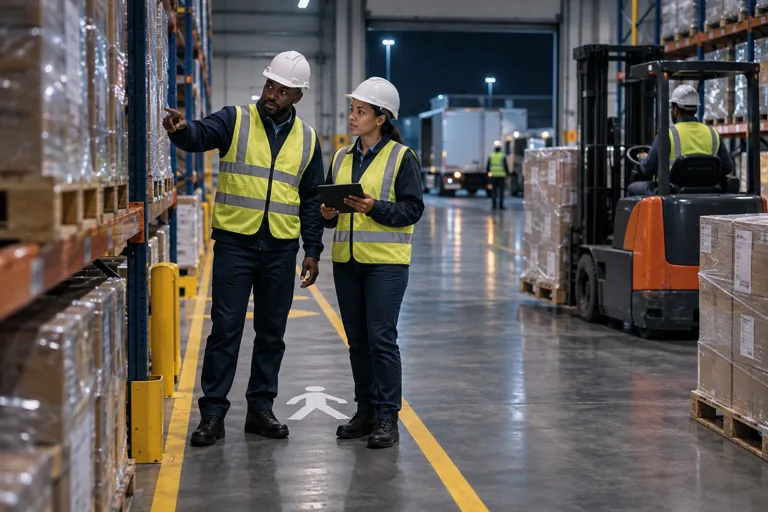
Wide yards, warehouse aisles and covered bays present very different lighting and distance challenges.
Review perimeter activity, access to restricted stores and movement outside agreed schedules.
Separate arrival waiting time, bay occupancy and loading activity.
Video around transfer points can support investigation of loading exceptions.
A dispatch team is investigating repeated bay congestion.
Wide yards, warehouse aisles and covered bays present very different lighting and distance challenges. Trucks can obstruct views, while the movement of racking and stored goods changes sightlines. Assess vehicle routes and the detail needed at each checkpoint.
Review perimeter activity, access to restricted stores and movement outside agreed schedules. ANPR requires suitable plate-capture conditions and a supported system. A vehicle event should be linked to the available video and assessed against the authorised movement procedure.
Separate arrival waiting time, bay occupancy and loading activity. A single dwell figure can hide several causes. Use consistent event definitions to investigate delays rather than attributing every long visit to the same team.
Video around transfer points can support investigation of loading exceptions. It should be considered alongside manifests, scans and dispatch records. Do not assume the camera can read every label or count every obscured item.
A dispatch team is investigating repeated bay congestion. Compare observed arrival and departure events with loading schedules and bay availability. Use the footage to clarify a particular exception before changing the process.
Review camera views, access and operating conditions.
Select applications and define the relevant events.
Validate representative activity and review records.
Agree responsibilities and refine the configuration.
Assess each gate, aisle and loading bay for lighting, distance and vehicle obstructions. General yard coverage may not capture plates or loading detail. Identify suitable existing views before specifying changes.
Define separate arrival, bay occupancy and departure events where the views support them. Compare observations with loading schedules and dispatch records. A long vehicle visit alone does not identify the cause of a delay.
Start with operating hours, the bottleneck or security concern and a general description of camera coverage. Keep manifests, detailed layouts, credentials and client operations private; arrange any necessary exchange through an agreed secure channel.
Let’s talk about your people, your operations and your priorities.