The environment
Machine enclosures, moving equipment and changing workstations create occlusions.

Production areas need a careful distinction between operational observation, access control and safety systems. Use video to review visible activity without implying that a camera measures everything happening inside a process.
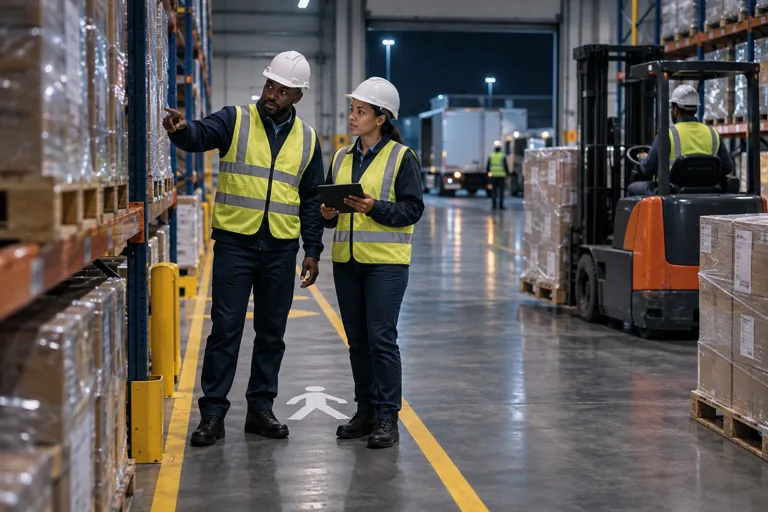
Machine enclosures, moving equipment and changing workstations create occlusions.
Prioritise controlled stores, perimeter access and movement outside operating schedules.
Observe the sequence of visible work stages, queues and transfer activity.
Supported PPE and zone rules may help identify exceptions for the safety team to review.
A supervisor wants to understand delays at a visible handover point.
Machine enclosures, moving equipment and changing workstations create occlusions. Lighting and reflective surfaces can affect image quality. Identify observable checkpoints and keep installation and access arrangements aligned with site operating rules.
Prioritise controlled stores, perimeter access and movement outside operating schedules. Define which events need operator review and who is authorised to respond. Sensitive production layouts and footage should remain access-controlled.
Observe the sequence of visible work stages, queues and transfer activity. Compare events with production schedules and direct equipment records. A camera observation is not a substitute for machine telemetry or a complete measure of output.
Supported PPE and zone rules may help identify exceptions for the safety team to review. Validate camera views with representative activity. Keep established machine guarding, interlocks and safety controls independent of the video demonstration.
A supervisor wants to understand delays at a visible handover point. Agree the observable start and end events, inspect exceptions and check them against production records. The objective is a better investigation, not an assumed productivity score.
Review camera views, access and operating conditions.
Select applications and define the relevant events.
Validate representative activity and review records.
Agree responsibilities and refine the configuration.
Review each proposed checkpoint for distance, lighting, moving equipment and obstructions. Cameras suitable for general security may not show enough detail for a particular PPE rule or handover event. Validate representative activity before rollout.
No. Video can add context to visible events and production records. It does not provide complete machine telemetry or replace guarding, interlocks or established safety controls.
Describe the recurring process question and the general environment first. Do not upload sensitive production layouts, credentials or footage through the website. Client deployment details remain private and necessary technical information is exchanged through an agreed channel.
Let’s talk about your people, your operations and your priorities.